Sunday, August 7, 2016

How to get free Amazon delivery?[Without Prime]

This is a very simple hack one can use to get free Amazon deliveries.
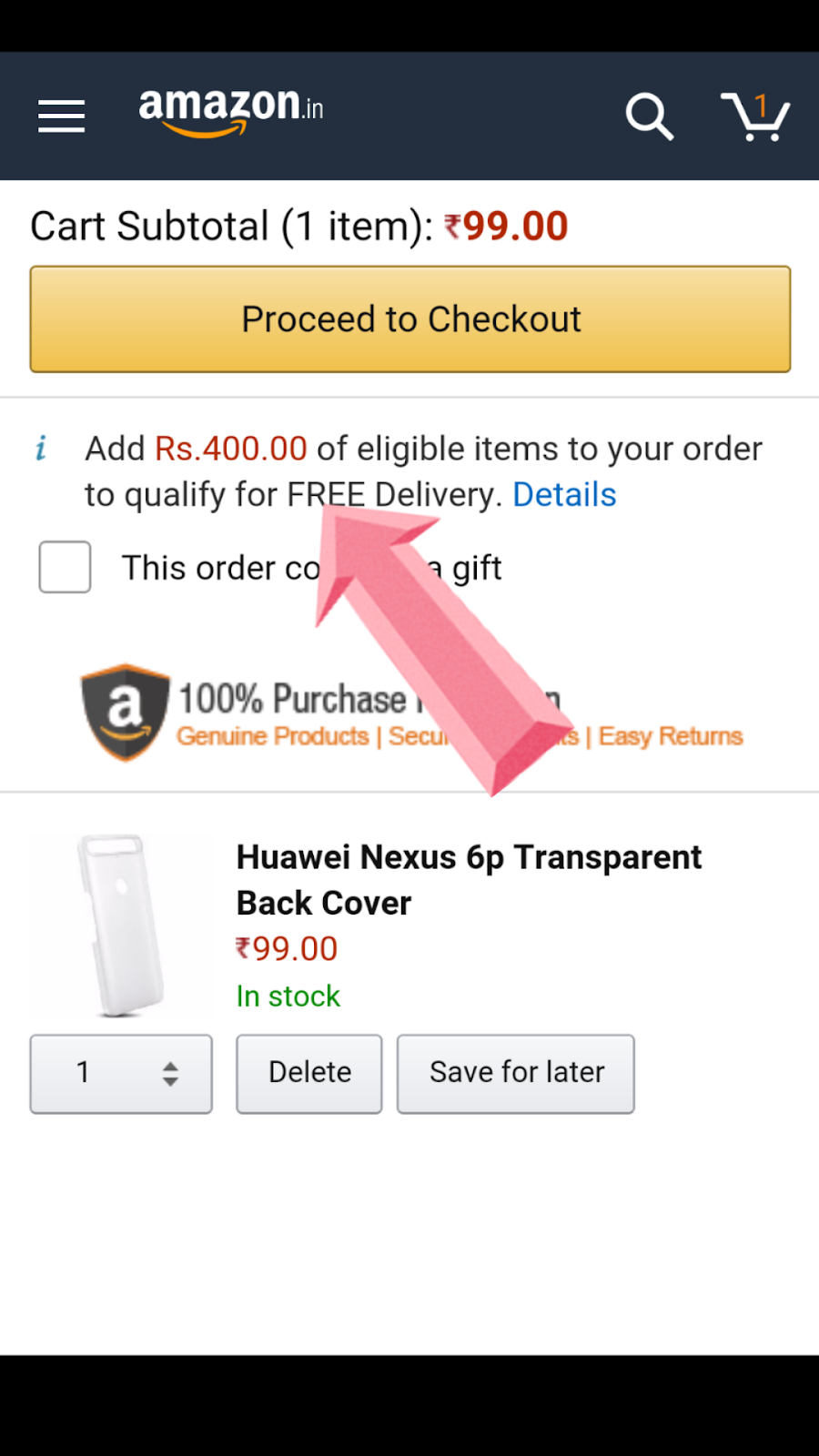
Amazon India allows free delivery above ₹500 but what is your cart value is less all you need to do

Steps

  1. Select product you want to buy it should be Amazon fulfilled.

See it require Rs400 for to be free delivery eligible

  1. Add a Amazon fulfilled Book(EDIT-earlier it worked on Beauty products but Amazon seem to have removed that) that has free delivery
Note: This should work on all the Amazon fulfilled product that are eligible for free delivery

  1. That's all now go to your cart and you will see that all items are eligible for free delivery.

Earlier this also worked for the beauty products and was more useful trick. Now i would prefer to just play Rs40 extra for the delivery.

Let us know it this worked for you in the comment section down below


Saturday, October 31, 2015

[SOLVED]Quick hack for faulty/jammed Power button on Nexus 5


So few months back I found my phone Nexus 5 was turn off all of sudden and as anyone would do I pressed the power button and tried to start the phone but just after 10 sec it went in boot-loop mode ON-GOOGLE LOGO-OFF  ON-GOOGLE LOGO-OFF  ON-GOOGLE LOGO-OFF then completely turn off again pressed power button same thing happen. I did some research and found out it's a common problem with Nexus 5.


Most solution what even Google recommend is that it's a software problem and will go if to factory reset the phone or go in fast-boot mode and wipe clean partition.
But I was sure its not a software problem but a hardware problem.

Solution

It's not a complete fix and I will not be held responsible if anything went wrong proceed at your own risk. If it worked for me doesn't mean it will work for you.


Steps
  • Take out any protective case from the phone  
  • Find a Good Hard surface
  • Smash the back side of the phone near power button(or smash the power button side) on the hard surface
  • Intensity of the power/ hit would be like you are knocking a door a bit hard
  • You might not have the courage to hit it hard on first try but on 3rd or 4th time you will hit it hard enough to fix the problem
  • Then Power up the phone if doesn't worked repeat


I honestly don't know how it's work but its fixes the problem. It's a temporary fix and it occurred again for me after a week so I decide I need to further do something about it. The best solution was not to press power button ever again.


I searched Google for some apps and found a app called Gravity Screen. Its free on play store. It's a great app and doesn't seem to seem affect my phone battery life too much max 3-7% after full charge. The app would automatically open and close the phone using proximity sensor and other things.
Now the problem haven't occurred for more than one month and I am relieved that didn't have to spend any money for it. So you can give phone to LG service center and get it repair for $150(they will change motherboard) or to to a local repair to shop change power button for $10 or use this simple hack for Free choice is yours .


Do let us know if the Hack work for you and if you have any query email me or leave them in comment section below.

Sunday, December 28, 2014

Clash of Clan Hack for IPhone and IPad


Clash of Clan is most popular IOS and Android Game and a new working hack has been out for it it brings with it some much wanted features such as the ability to keep active, search loot, use sandbox mode and attack simulation.

NOTE: Tech Ok Tech can't be held responsible for any damage that may occur on your device in the process. If steps are not followed it could brick the device and game. The hack will allow you to add active cheat for the game.
So lets begin,


We assume that you have a Jailbroken device and are familiar with the use of Cydia


Steps:
  1. Go to sources and click ‘edit’ on to and then ‘Add’ in top Left
  2. Enter “http://apt.xmodgames.com/” in the pop up and click Add Source
  3. Click on the xmod source >Development>XModGames>Install>Confirm>Return to springborad and it will now restart
  4. Now you will see XModGame app one of your pages.
  5. Before you use the app, make sure the Clash of Clans game is not running check this by app swither
  6. Now, open the XModGame app and tap "Clash of Clans" and then tap "install".
  7.  Once Installed, tap the "launch" button and and you will notice an X on the side of the screen.

  8. Click it to bring up the hack menu. and enjoy Hack

  9. This Hack Was made by XModGames be sure to thank them
Do let us know if the Hack work for you and if you have any query email me or leave them in comment below

Wednesday, October 29, 2014

[Closed][Giveaway] Inbox by Gmail app Invite giveaway

Yes you heard it right we are giving away ONE invite for the most beautiful mail app made by Google

Inbox

(Information from Google official Blog)

Today, Google introducing something new. It’s called Inbox. Years in the making, Inbox is by the same people who brought you Gmail, but it’s not Gmail: it’s a completely different type of inbox, designed to focus on what really matters. 
Email started simply as a way to send digital notes around the office. But fast-forward 30 years and with just the phone in your pocket, you can use email to contact virtually anyone in the world…from your best friend to the owner of that bagel shop you discovered last week. 
With this evolution comes new challenges: we get more email now than ever, important information is buried inside messages, and our most important tasks can slip through the cracks—especially when we’re working on our phones. For many of us, dealing with email has become a daily chore that distracts from what we really need to do—rather than helping us get those things done.


How to enter the giveaway

Share the Blog and this post or any post of the blog with the hash tag #techokgive Share on Google+ and Twitter only. Post in Google+ communities is also acceptable You can post as many times you like to increase your change of winning. It’s just that simple. So who’s ready?

  Link and Hash Tag Past this 
  http://techoktech.blogspot.in/
 http://techoktech.blogspot.in/2014/10/giveaway-inbox-by-gmail-app-invite.html?m=1       #techokgive

The contest will run now through next Wednesday, November 5th. That should give you plenty of time to get lots of entries into this giveaway. So good luck to everyone.

Wednesday, August 20, 2014

How to select specific folder to be backup on Google Plus?

Most of people like me will find this as problem. I started auto backup on my phone for my camera photos but I didn't realize that I started auto backup for all my local folder also. I wanted to backup my local folder but I don't want some folder like WhatsApp photos, screenshots to be backup. Believe me we can do that its just that Google have made it a bit hidden.


First of all make sure you have auto backup on for local folder.
  1. Open Google Plus photo app
  2. Open setting
  3. Click on Auto Backup
  4. And then on backup local folder

Secondly go to /'On Device" menu
  1. Click on the Photo option in top left corner or slide the slide out menu
  2. Click on "On Device"( you have to scroll in menu)

Lastly unchecked the folder
  1. Here you can see all your local folder
  2. Click on the cloud button side of the folder name
  3. All the cloud will of blue color
  4. Click on the cloud button to unchecked it

Now you are done only the folder you have checked will be backup now.

If you have any problem post them in comment section down below.
+1 ,Like it if it works for you share it with your Friend

Saturday, April 19, 2014

What Google and Bing thing about themselves?

Google vs Bing

Let see what Google think of Bing

Let see what Bing think of Bing

Let see what Google think of Google

Let see what Bing think of Google

What do you think which Search Engine is better Google or Bing? Leave your answer and reason in comment down below. You can also vote for you search engine in polling panel on right hand side.

Sunday, April 6, 2014

How to Set the Default Photo And Download Location to an SD Card

Most of the entry level smartphone have 8GB or 4GB out which only 2-4GB is user usable. This creates a problem for user as he have very less space to download app. As most of the app can't be shifted to SD card so very little space is available for user to use for files and photo.
This issue can be overcome using a SD card but sometime the file and photo are are still save on phone memory.
So here is way to overcome it
Default Location to SD card
This can be done in TWO ways

First method: Apps Data

This will save Apps data directly to the SDcard
  1. Open an app say for example Camera.
  2. Tap on the setting button.
  3. Scroll down the list and tap on option storage and select it to Memory card
  4. Similar method and be use to change setting on other apps.

Second method: Download Data

This will ensure all the data downloaded will go directly to the SD card
  1. Open My File from the app drawer.
  2. Click the capacitive menu button, or look three dot or four horizontal lines menu button in top right corner.
  3. From the displayed menu, tap the Settings option.
  4. In setting under the Select directories, tap the set home directory option or choose Show categories .

  5. Then tap the option you desire and select the desire folder you want to save the data.
  6. And you are done.


Note: I have use a Samsung phone to demonstrate the above process. The UI of My File may be different on phone and tablet but the app will be present in app drawer. In the mobile phones or tablets from other manufacturers, the interface may be different and different app maybe use but the process will remain same. Also make sure that SD card is properly mounted. The same processes can be use to revert back the it.

Now that you now this simple trick go and take lot of videos and photos. Thanks for reading. If facing any problem or have any suggestion leave then in comment below. If you found it helpful Like it, +1 it and do share it with your friends because
                                              A Friend In Need, Is a Friend Indeed
Monday, March 31, 2014

Why should you choose Android over any other OS?

This is definitely a big debate which OS is best well there are fans of each and every OS available in market whether its Android, IOS, blackberry, Ubuntu, Firefox, ti zen or be it windows. Well the best answer to this is that no OS is best every OS has there own advantage and disadvantage and its fans are using that OS because of that advantage.


Before Reading: If you are a IOS fan then you would also like to read this post.

So lets start why would anyone choose Android over any other OS.


  1. Massive hardware selection: A large number of Android devices are available at various price points, with varying hardware capabilities, screen sizes and features. Its price starts from Rs 5,000 and go up to Rs 60,000( $100- $1000). More than 80% people in world run on Android. This creates a responsibility for for Google to continuously improve its OS to deliver it to large number of people.

  1. Android Is For Tinkerers: Be it home screen, icons of apps, keyboard or launcher all can be changed according to user. Apps like Swift Key can modifies your Android smartphone's keyboard, Nova, apex launcher and change appearance of launcher. User just have to think how its phone OS should look and Android will allow you to do that. No other OS provide customization to this extent.

  1. Widgets and Notification Bar: Widgets is kind of the most well thought feature of Android. Many operating system like Firefox,windows has tried to copy it. Without opening the app user and look at the information. Notification center is a feature is from very beginning of the Android it have mature over time by adding quick toggles and quick setting. Majorly all the companies have copied this feature from Android including Apple(IOS) and Microsoft(windows).

  1. Open Source Project: We all know Android is open source but how this help its uses. Google has fewer restrictions than Apple on what kinds of apps it allows in its Play store. Moreover, you can choose to install Android apps from places other than the Google Play store. You can even completely change your OS by flashing other open source OS(Firefox) or Custom ROM's

  1. Google Apps: This is no say, its a Google operating system so all the Google apps are pre installed on it. also apps are tightly integrated in the OS like Hangout for messaging and video calling, Maps for navigation etc. Also some apps are Android specific because of open nature of android

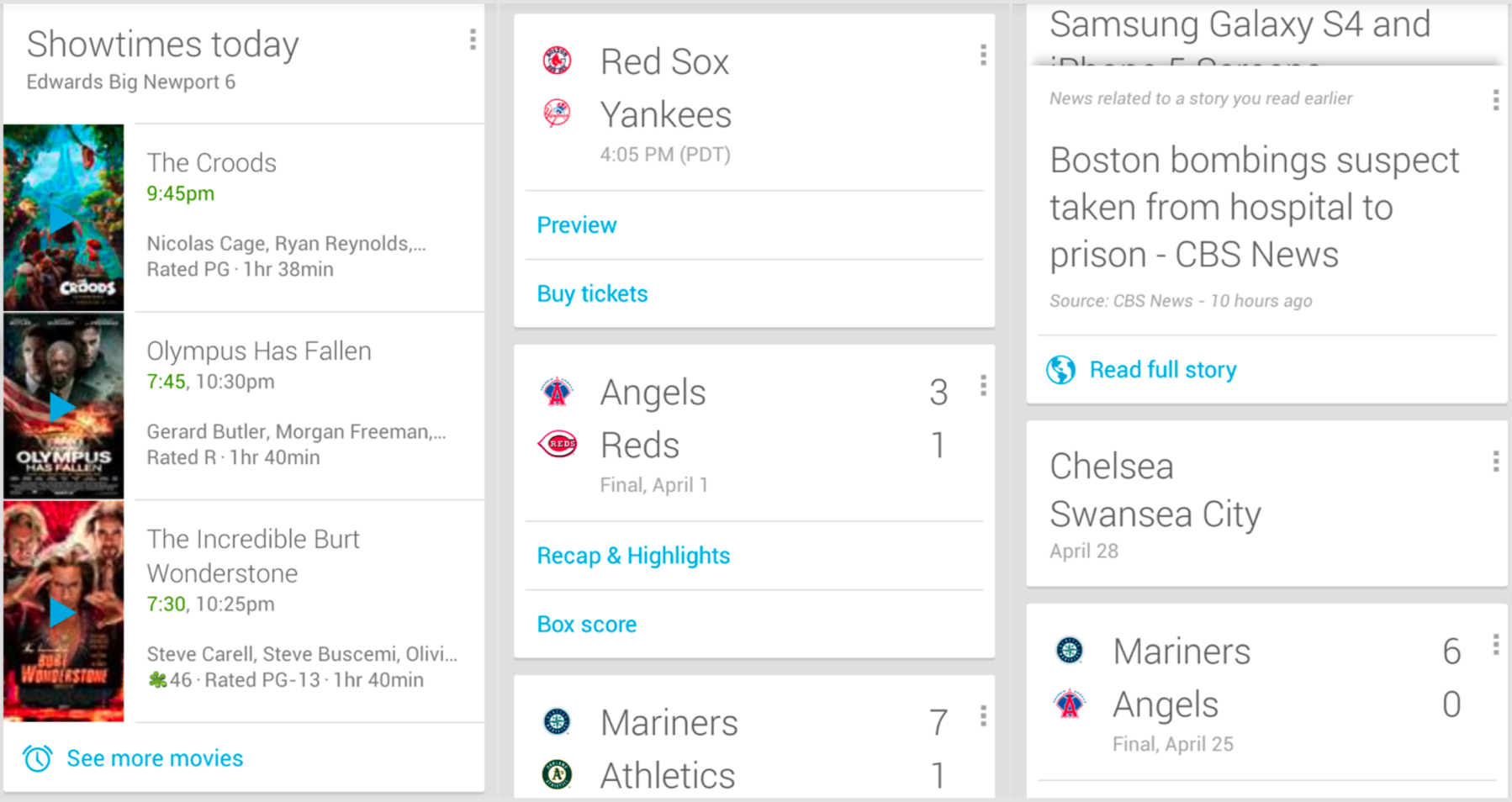
  1. Google Now: Google Now can be term as next big thing in technological world. It provide the information at the right time when you need it. Even without opening the phone you can say OK Google on home screen and it will respond to your command. Google is said to be working to make Google Now a complete Virtual Assistance.  

So let know which Operating system you use? Which company phone do you use? Has this post alter your thinking about IOS? Do let us know comment below

+1 ,Like it if u enjoy it share it with your Friend

Why should you choose IOS over any other OS?

This is definitely a big debate which OS is best well there are fans of each and every OS available in market whether its IOS, Android, blackberry, Ubuntu, Firefox, ti zen or be it windows. Well the best answer to this is that no OS is best every OS has there own advantage and disadvantage and its fans are using that OS because of that advantage.


Before Reading: If you are a Android fan then you would also like to read this post.

Why should you choose Android over any other OS?

So lets start why would anyone choose IOS over any other OS.


  1. Fastest OS upgrade: Well I said fastest because majority of other of the other operating system are open source so many different manufacturers make their smartphone from it and to differentiate them from other manufactures of the same OS they alter the OS and this let them delay in update. For IPhone its the only phone that run IOS so its  pretty easy to for Apple to push an update as soon as it is ready


  1. Security: Undoubtedly this one of the most important feature for IPhone as compare it other OS. The source code of IOS is not open source so it become difficult for hackers to hack it. Many people buy IPhones just because of its great security. Also even if a vulnerability in operating system is found that compromise the system then Apple can quickly patch and then dispatch it to IPhone and it won't  take time to reach people because of faster OS update. Also all the app submitted to app store have to pass security check. This ensure no malware is uploaded on user IOS device.


  1. Constant UI: I think this one area where IOS has excel over other OS as there is no/less fragmentation amongst its OS. For example more than 80% people run IOS7 so this forces the developer to update its app according to the newer UI so where if people are still using IOS 6 they would get the app that has IOS7 interference.


  1. More and Exclusive Apps: IOS is developer lover OS. Due to less of privacy of IOS app developers are earning a great profit from its app than other OS also they are launching apps on IOS first and also some time exclusive apps for IOS like Clash of Clan(now on Android also). Due to its developers lover nature it has more than 100,000 apps in app store.


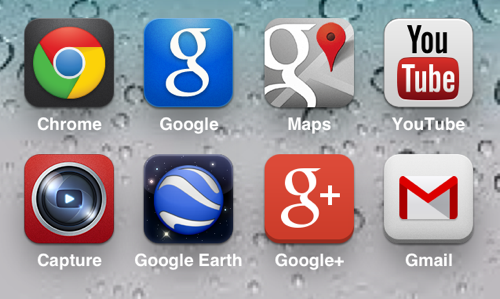
  1. Google Apps: Belive it or not but most of the IPhone user use Google Apps and Service. Also Google care for them Google sometime realise its app first on IOS and then on its own operation system Android. Also some of the Google IOS app have feature that are not found on Android like you can't refresh comments in youtube in Android but in IOS you can and Google+ commenting on post has swipe gesture to see next comment in IOS.


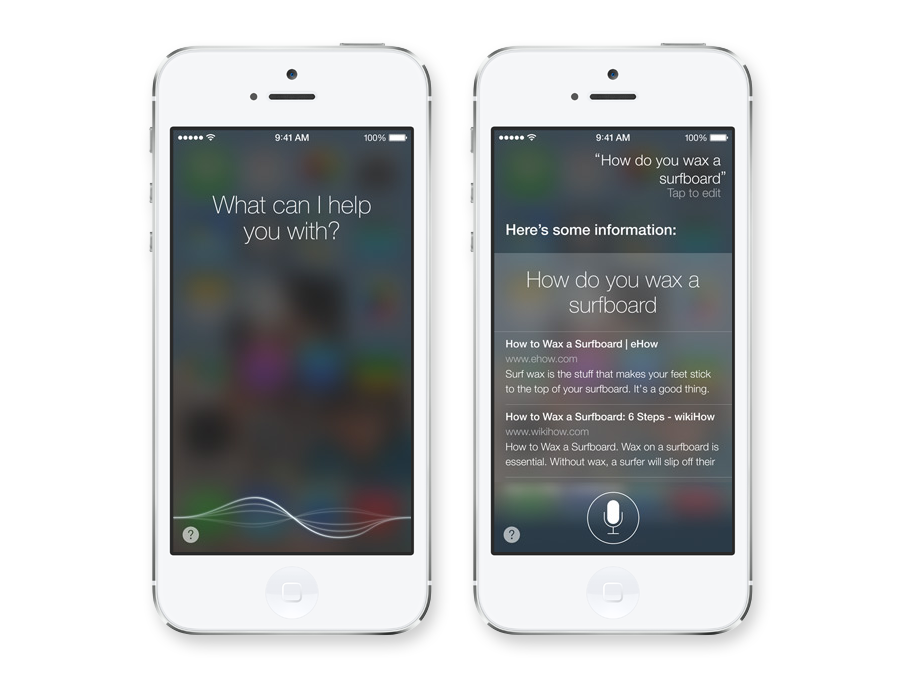
  1. Siri: Its not like Google now but Apple never make it like that way. Its your personal assistance you can ask any legit or useless question to it and it will respond to you. You can also use its set reminder open apps and many more stuffs.


So let know which Operating system you use? Which company phone do you use? Has this post alter your thinking about IOS? Do let us know comment below


+1 ,Like it if u enjoy it share it with your friend.